Wedding Seating Planner Singapore: Assign Every Guest to the Right Table
One of the most deceptively complex tasks in wedding planning is finalising the seating chart. You have confirmed RSVPs, dietary requirements, family dynamics to navigate, and a banquet coordinator waiting for your table plan — all converging at once.
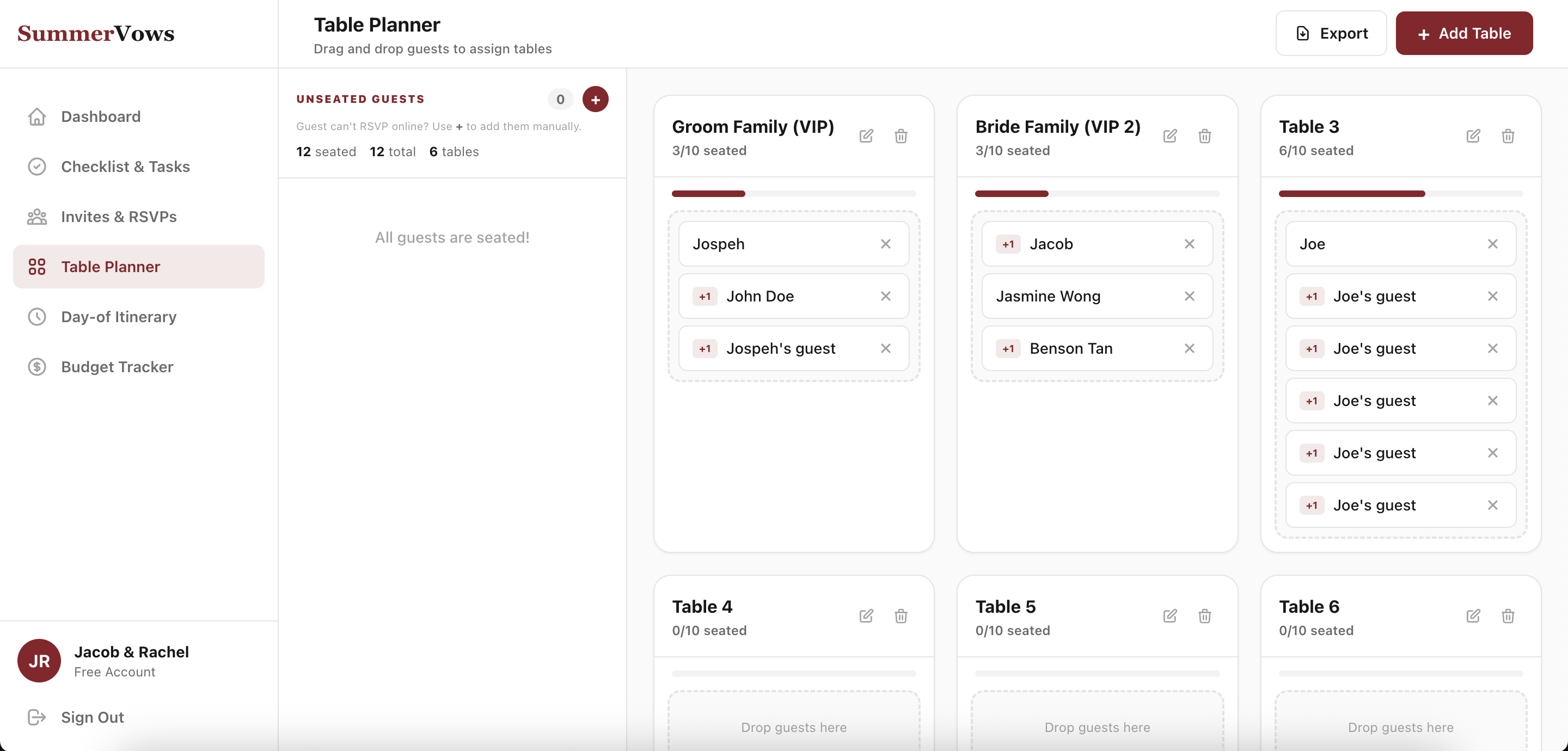
SummerVows' free Wedding Seating Planner makes this manageable. It pulls in your confirmed RSVP guests automatically, gives you an intuitive drag-and-drop interface for arranging everyone, and exports a clean Excel file for your venue coordinator in one click.
Why Wedding Seating Is Harder Than It Looks
For a Singapore banquet with 200 guests across 20 tables, every placement decision has ripple effects:
- Elderly relatives need to be near the front, away from speakers
- Guests who don't know each other need to be balanced with mutual connections
- Families with young children may need aisle access
- Vegetarian and dietary guests need to be noted for the catering team
- Plus-ones should always be seated with the person who brought them
- VIP tables need to be confirmed before anything else
Doing this in Excel means manually cross-referencing RSVPs, checking dietary notes, and reformatting every time someone cancels or a plus-one is added at the last minute.
How the SummerVows Seating Planner Works
Auto-Import from Your RSVP List
The seating planner is directly connected to your Invites & RSVP data. Every guest who has confirmed attendance — including their meal preference, dietary requirements, and plus-one details — is automatically available to assign to a table.
No manual data entry. No copy-pasting between tabs. Your confirmed guest list is already there waiting for you.
Create and Name Your Tables
Set up your table configuration quickly:
- Add as many tables as you need
- Name each table (Table 1, VIP Table, Bride's Family, Groom's Colleagues, etc.)
- Set the number of seats per table
- See at a glance how many seats are filled vs. available
Drag-and-Drop Guest Assignment
Assigning guests is as simple as dragging a name from the unassigned guest pool to a table. Plus-ones are automatically linked to their invitee, so they always move together — no splitting couples or families.
Need to reseat someone? Drag them to another table. The planner updates in real time.
Dietary Preferences at a Glance
Each guest's dietary preference (vegetarian, halal, no shellfish, gluten-free, etc.) is visible directly alongside their name in the planner. This makes it easy to spot guests with specific requirements during the assignment process, and to ensure catering staff have accurate counts per table.